Buy cbc.li ?
We are moving the project
cbc.li .
Are you interested in purchasing the domain
cbc.li ?
domain@kv-gmbh.de · 0541-91531010
Buy cbc.li ?
How can you make an old radio Bluetooth-enabled?
To make an old radio Bluetooth-enabled, you can use a Bluetooth transmitter. This device can be connected to the audio output of the radio, allowing it to transmit audio wirelessly to Bluetooth-enabled speakers or headphones. Simply plug the transmitter into the radio's headphone jack or audio output, pair it with your Bluetooth device, and you can enjoy wireless audio streaming from your old radio. This is a simple and cost-effective way to modernize your old radio and make it compatible with Bluetooth technology. **
How can one make an old radio Bluetooth-enabled?
To make an old radio Bluetooth-enabled, you can use a Bluetooth receiver adapter. This device can be plugged into the audio input of the old radio, allowing it to receive audio signals from a Bluetooth-enabled device such as a smartphone or tablet. Once connected, you can stream music or other audio content from your Bluetooth device to the old radio wirelessly. This is a simple and cost-effective way to modernize an old radio and enjoy the convenience of Bluetooth connectivity. **

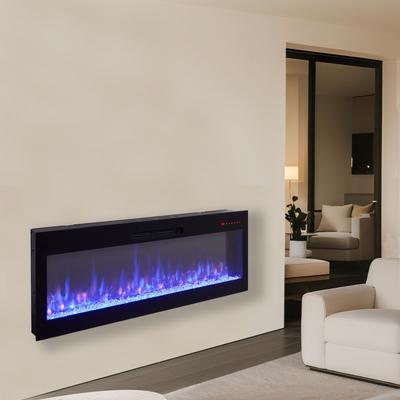
Similar search terms for Enabled
Top-Angebote
Products related to Enabled:
-
Friedrich 8,000 BTU (5,000 DOE) Portable Air Conditioner, Wifi-EnabledDesigned for dependable comfort and everyday convenience, this Friedrich portable air conditioner delivers powerful, efficient cooling for bedrooms, offices, and other living spaces where flexibility matters most.379,99 $*Shipping: 0,00 $Secure redirect to the provider
-
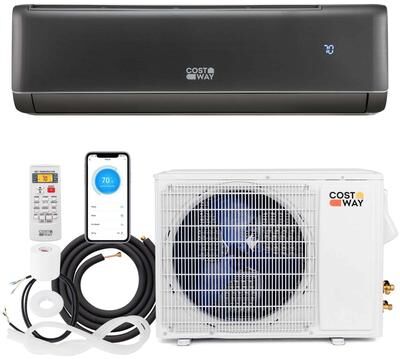
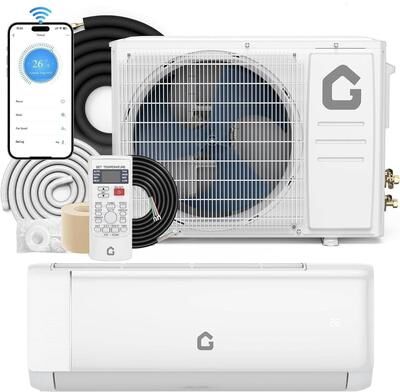
Garvee 18000 BTU Mini Split Air Conditioner & Heater, WiFi Enabled【Powerful Cooling & Heating, Energy Efficient】This 18,000 BTU mini split AC offers up to 19 SEER2 efficiency, ensuring powerful cooling and heating in temperatures from -13°F to 140°F. Ideal for spaces up to 1250 sq. ft1023,99 $*Shipping: 0,00 $Secure redirect to the provider
-
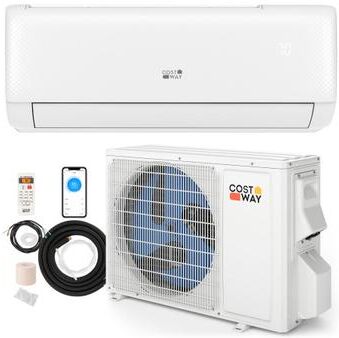
18000 BTU Wifi Enabled Mini Split Air Conditioner & Heater w/Heat PumpMeet all your cooling and heating needs with this powerful wall AC unit. Capable of cooling up to 1250 sq.ft and functioning even in extreme temperatures, this AC unit is equipped with advanced inverter technology for energy efficiency.1179,49 $*Shipping: 0,00 $Secure redirect to the provider


-
Should one keep IPv4 enabled despite having IPv6 enabled?
It is generally recommended to keep both IPv4 and IPv6 enabled on your network. While IPv6 is the newer protocol and offers many advantages over IPv4, there are still many devices and services that primarily use IPv4. By keeping both protocols enabled, you ensure compatibility with all devices and services on the internet. Additionally, having both protocols enabled provides redundancy in case one protocol experiences issues or outages. **
-
Does the Google Chromecast require an internet-enabled television?
No, the Google Chromecast does not require an internet-enabled television. The Chromecast itself needs to be connected to a Wi-Fi network to stream content from your smartphone, tablet, or computer to your TV. As long as your TV has an HDMI port, you can plug the Chromecast into it and use it to stream content, regardless of whether the TV has internet connectivity or not. **
-
Do you need an internet-enabled television for the Amazon Fire TV Stick, or can you use it without an internet-enabled television?
Yes, you need an internet-enabled television to use the Amazon Fire TV Stick. The Fire TV Stick requires an internet connection to stream content from services like Netflix, Hulu, and Amazon Prime Video. Without an internet connection, the Fire TV Stick will not be able to access any content. **
-
Do you need an internet-enabled television for the Google Chromecast?
No, you do not need an internet-enabled television for the Google Chromecast. The Chromecast itself requires a television with an HDMI port to connect to, and it relies on a separate device such as a smartphone, tablet, or computer to stream content. As long as your television has an HDMI port, you can use the Chromecast to stream content from your other devices to your TV. **
How can I make a non-Wi-Fi enabled printer Wi-Fi enabled?
You can make a non-Wi-Fi enabled printer Wi-Fi enabled by using a wireless print server. A wireless print server connects to your printer via USB and then connects to your Wi-Fi network, allowing you to print from any device connected to the same network. Another option is to use a Wi-Fi enabled computer as a print server, where the computer is connected to the printer and then shares the printer over the Wi-Fi network. Both of these options will allow you to print wirelessly to a non-Wi-Fi enabled printer. **
What are Bluetooth-enabled printers?
Bluetooth-enabled printers are printers that have the capability to connect wirelessly to devices such as smartphones, tablets, and computers using Bluetooth technology. This allows users to easily print documents, photos, and other files without the need for a physical connection. Bluetooth-enabled printers are convenient for printing on the go or in situations where a wired connection is not practical. **
Top-Angebote
Products related to Enabled:
-
Friedrich 8,000 BTU (5,000 DOE) Portable Air Conditioner, Wifi-EnabledDesigned for dependable comfort and everyday convenience, this Friedrich portable air conditioner delivers powerful, efficient cooling for bedrooms, offices, and other living spaces where flexibility matters most.379,99 $*Shipping: 0,00 $Secure redirect to the provider
-
Garvee 18000 BTU Mini Split Air Conditioner & Heater, WiFi Enabled【Powerful Cooling & Heating, Energy Efficient】This 18,000 BTU mini split AC offers up to 19 SEER2 efficiency, ensuring powerful cooling and heating in temperatures from -13°F to 140°F. Ideal for spaces up to 1250 sq. ft1023,99 $*Shipping: 0,00 $Secure redirect to the provider
-
How can you make an old radio Bluetooth-enabled?
To make an old radio Bluetooth-enabled, you can use a Bluetooth transmitter. This device can be connected to the audio output of the radio, allowing it to transmit audio wirelessly to Bluetooth-enabled speakers or headphones. Simply plug the transmitter into the radio's headphone jack or audio output, pair it with your Bluetooth device, and you can enjoy wireless audio streaming from your old radio. This is a simple and cost-effective way to modernize your old radio and make it compatible with Bluetooth technology. **
-
How can one make an old radio Bluetooth-enabled?
To make an old radio Bluetooth-enabled, you can use a Bluetooth receiver adapter. This device can be plugged into the audio input of the old radio, allowing it to receive audio signals from a Bluetooth-enabled device such as a smartphone or tablet. Once connected, you can stream music or other audio content from your Bluetooth device to the old radio wirelessly. This is a simple and cost-effective way to modernize an old radio and enjoy the convenience of Bluetooth connectivity. **
-
Should one keep IPv4 enabled despite having IPv6 enabled?
It is generally recommended to keep both IPv4 and IPv6 enabled on your network. While IPv6 is the newer protocol and offers many advantages over IPv4, there are still many devices and services that primarily use IPv4. By keeping both protocols enabled, you ensure compatibility with all devices and services on the internet. Additionally, having both protocols enabled provides redundancy in case one protocol experiences issues or outages. **
-
Does the Google Chromecast require an internet-enabled television?
No, the Google Chromecast does not require an internet-enabled television. The Chromecast itself needs to be connected to a Wi-Fi network to stream content from your smartphone, tablet, or computer to your TV. As long as your TV has an HDMI port, you can plug the Chromecast into it and use it to stream content, regardless of whether the TV has internet connectivity or not. **
Similar search terms for Enabled
-
18000 BTU Wifi Enabled Mini Split Air Conditioner & Heater w/Heat PumpMeet all your cooling and heating needs with this powerful wall AC unit. Capable of cooling up to 1250 sq.ft and functioning even in extreme temperatures, this AC unit is equipped with advanced inverter technology for energy efficiency.1179,49 $*Shipping: 0,00 $Secure redirect to the provider
-
Garvee 21 SEER2 18000 BTU Mini Split Air Conditioner & Heater, WiFi EnabledEfficient 18,000 BTUs Mini Split AC/Heating System: This 18000 BTUs mini split air conditioner delivers quick and powerful cooling and heating ideal for bedrooms, offices, apartments, and small shops.1134,49 $*Shipping: 0,00 $Secure redirect to the provider
-
Do you need an internet-enabled television for the Amazon Fire TV Stick, or can you use it without an internet-enabled television?
Yes, you need an internet-enabled television to use the Amazon Fire TV Stick. The Fire TV Stick requires an internet connection to stream content from services like Netflix, Hulu, and Amazon Prime Video. Without an internet connection, the Fire TV Stick will not be able to access any content. **
-
Do you need an internet-enabled television for the Google Chromecast?
No, you do not need an internet-enabled television for the Google Chromecast. The Chromecast itself requires a television with an HDMI port to connect to, and it relies on a separate device such as a smartphone, tablet, or computer to stream content. As long as your television has an HDMI port, you can use the Chromecast to stream content from your other devices to your TV. **
-
How can I make a non-Wi-Fi enabled printer Wi-Fi enabled?
You can make a non-Wi-Fi enabled printer Wi-Fi enabled by using a wireless print server. A wireless print server connects to your printer via USB and then connects to your Wi-Fi network, allowing you to print from any device connected to the same network. Another option is to use a Wi-Fi enabled computer as a print server, where the computer is connected to the printer and then shares the printer over the Wi-Fi network. Both of these options will allow you to print wirelessly to a non-Wi-Fi enabled printer. **
-
What are Bluetooth-enabled printers?
Bluetooth-enabled printers are printers that have the capability to connect wirelessly to devices such as smartphones, tablets, and computers using Bluetooth technology. This allows users to easily print documents, photos, and other files without the need for a physical connection. Bluetooth-enabled printers are convenient for printing on the go or in situations where a wired connection is not practical. **
* All prices are inclusive of VAT and, if applicable, plus shipping costs. The offer information is based on the details provided by the respective shop and is updated through automated processes. Real-time updates do not occur, so deviations can occur in individual cases. ** Note: Parts of this content were created by AI.