Buy cbc.li ?
We are moving the project
cbc.li .
Are you interested in purchasing the domain
cbc.li ?
domain@kv-gmbh.de · 0541-91531010
Buy cbc.li ?
Does the car radio automatically switch to news?
Some car radios have a feature that automatically switches to news stations when they detect a news broadcast. This feature is often found in newer car models and can be activated through the radio settings. However, not all car radios have this feature, and it may depend on the specific make and model of the car. If you are interested in this feature, it's best to check the specifications of your car's radio system or consult the owner's manual for more information. **
Which switch do I need for continuous power to the mirror cabinet?
You will need a single-pole single-throw (SPST) switch for continuous power to the mirror cabinet. This type of switch has only one set of contacts and is used to control a single circuit. By using an SPST switch, you can ensure that the power to the mirror cabinet remains uninterrupted when the switch is in the "on" position. Make sure to consult a professional electrician for installation to ensure safety and proper functionality. **

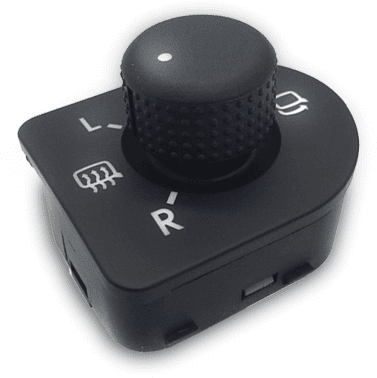
Similar search terms for FISPA-640520A2-Switch-mirror
Top-Angebote
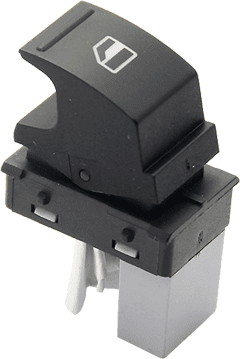
Products related to FISPA-640520A2-Switch-mirror:



-
Is it possible for the mirror cabinet light to work with the external switch, even though the mirror cabinet is connected to a switch and also works through it?
Yes, it is possible for the mirror cabinet light to work with the external switch, even though the mirror cabinet is connected to a switch and also works through it. This can be achieved by wiring the external switch in parallel with the existing switch for the mirror cabinet light. When the external switch is turned on, it will also activate the mirror cabinet light, providing an alternative way to control the light without interfering with the existing switch. This setup allows for flexibility in controlling the mirror cabinet light. **
-
How can I mirror the screen of the Nintendo Switch on Windows 10?
To mirror the screen of your Nintendo Switch on Windows 10, you can use a capture card like Elgato HD60 S or AVerMedia Live Gamer Portable. Connect the capture card to your Switch and then to your Windows 10 computer via USB. Install the necessary software provided by the capture card manufacturer on your computer, and you should be able to see and mirror your Nintendo Switch screen on your Windows 10 display. **
-
What alternative is there if the mirror light does not have a switch?
If the mirror light does not have a switch, an alternative option is to install a separate wall switch or a touch sensor. A wall switch can be installed near the mirror to control the light, while a touch sensor can be placed directly on the mirror surface for easy access. Another option is to use a smart home device or a remote control to operate the mirror light without a built-in switch. These alternatives provide convenient ways to control the mirror light without the need for a built-in switch. **
-
How can you mirror the smartphone to the television?
You can mirror your smartphone to the television using a variety of methods. One common way is to use a physical cable, such as an HDMI or USB-C cable, to connect your smartphone to the television. Another method is to use a wireless technology like Chromecast, Apple AirPlay, or Miracast to mirror your smartphone screen to the television. Additionally, some smart TVs have built-in screen mirroring capabilities that allow you to easily connect and display your smartphone's screen on the TV. **

How can one mirror a tablet to the television?
To mirror a tablet to a television, you can use a variety of methods depending on the type of tablet and TV you have. One common way is to use a physical HDMI cable to connect the tablet to the TV. Alternatively, you can use a wireless streaming device such as Chromecast or Apple TV to mirror the tablet screen to the TV. Some newer smart TVs also have built-in screen mirroring capabilities that can be used to connect the tablet wirelessly. **
How can you mirror your smartphone to the television?
To mirror your smartphone to the television, you can use technologies like Chromecast, Apple TV, or Miracast. These devices allow you to wirelessly connect your smartphone to the television and display its screen. Alternatively, you can use an HDMI cable to physically connect your smartphone to the television. Make sure your smartphone and television are on the same Wi-Fi network or connected via Bluetooth for a seamless mirroring experience. **
Top-Angebote
Products related to FISPA-640520A2-Switch-mirror:
-
Does the car radio automatically switch to news?
Some car radios have a feature that automatically switches to news stations when they detect a news broadcast. This feature is often found in newer car models and can be activated through the radio settings. However, not all car radios have this feature, and it may depend on the specific make and model of the car. If you are interested in this feature, it's best to check the specifications of your car's radio system or consult the owner's manual for more information. **
-
Which switch do I need for continuous power to the mirror cabinet?
You will need a single-pole single-throw (SPST) switch for continuous power to the mirror cabinet. This type of switch has only one set of contacts and is used to control a single circuit. By using an SPST switch, you can ensure that the power to the mirror cabinet remains uninterrupted when the switch is in the "on" position. Make sure to consult a professional electrician for installation to ensure safety and proper functionality. **
-
Is it possible for the mirror cabinet light to work with the external switch, even though the mirror cabinet is connected to a switch and also works through it?
Yes, it is possible for the mirror cabinet light to work with the external switch, even though the mirror cabinet is connected to a switch and also works through it. This can be achieved by wiring the external switch in parallel with the existing switch for the mirror cabinet light. When the external switch is turned on, it will also activate the mirror cabinet light, providing an alternative way to control the light without interfering with the existing switch. This setup allows for flexibility in controlling the mirror cabinet light. **
-
How can I mirror the screen of the Nintendo Switch on Windows 10?
To mirror the screen of your Nintendo Switch on Windows 10, you can use a capture card like Elgato HD60 S or AVerMedia Live Gamer Portable. Connect the capture card to your Switch and then to your Windows 10 computer via USB. Install the necessary software provided by the capture card manufacturer on your computer, and you should be able to see and mirror your Nintendo Switch screen on your Windows 10 display. **
Similar search terms for FISPA-640520A2-Switch-mirror
-
What alternative is there if the mirror light does not have a switch?
If the mirror light does not have a switch, an alternative option is to install a separate wall switch or a touch sensor. A wall switch can be installed near the mirror to control the light, while a touch sensor can be placed directly on the mirror surface for easy access. Another option is to use a smart home device or a remote control to operate the mirror light without a built-in switch. These alternatives provide convenient ways to control the mirror light without the need for a built-in switch. **
-
How can you mirror the smartphone to the television?
You can mirror your smartphone to the television using a variety of methods. One common way is to use a physical cable, such as an HDMI or USB-C cable, to connect your smartphone to the television. Another method is to use a wireless technology like Chromecast, Apple AirPlay, or Miracast to mirror your smartphone screen to the television. Additionally, some smart TVs have built-in screen mirroring capabilities that allow you to easily connect and display your smartphone's screen on the TV. **
-
How can one mirror a tablet to the television?
To mirror a tablet to a television, you can use a variety of methods depending on the type of tablet and TV you have. One common way is to use a physical HDMI cable to connect the tablet to the TV. Alternatively, you can use a wireless streaming device such as Chromecast or Apple TV to mirror the tablet screen to the TV. Some newer smart TVs also have built-in screen mirroring capabilities that can be used to connect the tablet wirelessly. **
-
How can you mirror your smartphone to the television?
To mirror your smartphone to the television, you can use technologies like Chromecast, Apple TV, or Miracast. These devices allow you to wirelessly connect your smartphone to the television and display its screen. Alternatively, you can use an HDMI cable to physically connect your smartphone to the television. Make sure your smartphone and television are on the same Wi-Fi network or connected via Bluetooth for a seamless mirroring experience. **
* All prices are inclusive of VAT and, if applicable, plus shipping costs. The offer information is based on the details provided by the respective shop and is updated through automated processes. Real-time updates do not occur, so deviations can occur in individual cases. ** Note: Parts of this content were created by AI.